When you need this:
To verify you have a printer already added to your computer or check the status of a printer you are not able to print to.
Check Printers:
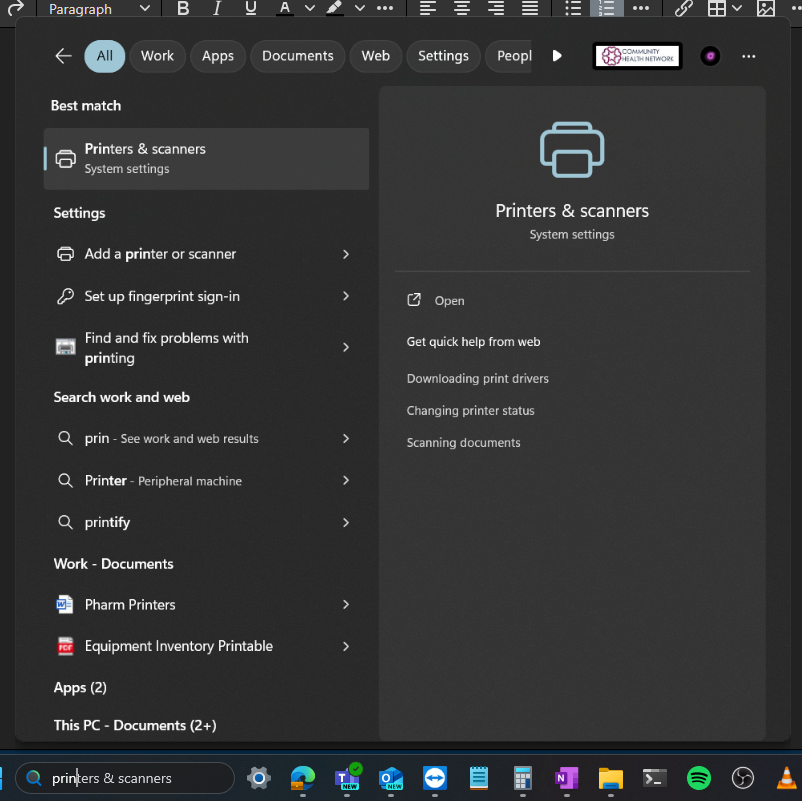
- In the search are of your task bar, start typing in Printers and select Printers & scanners. Click Open
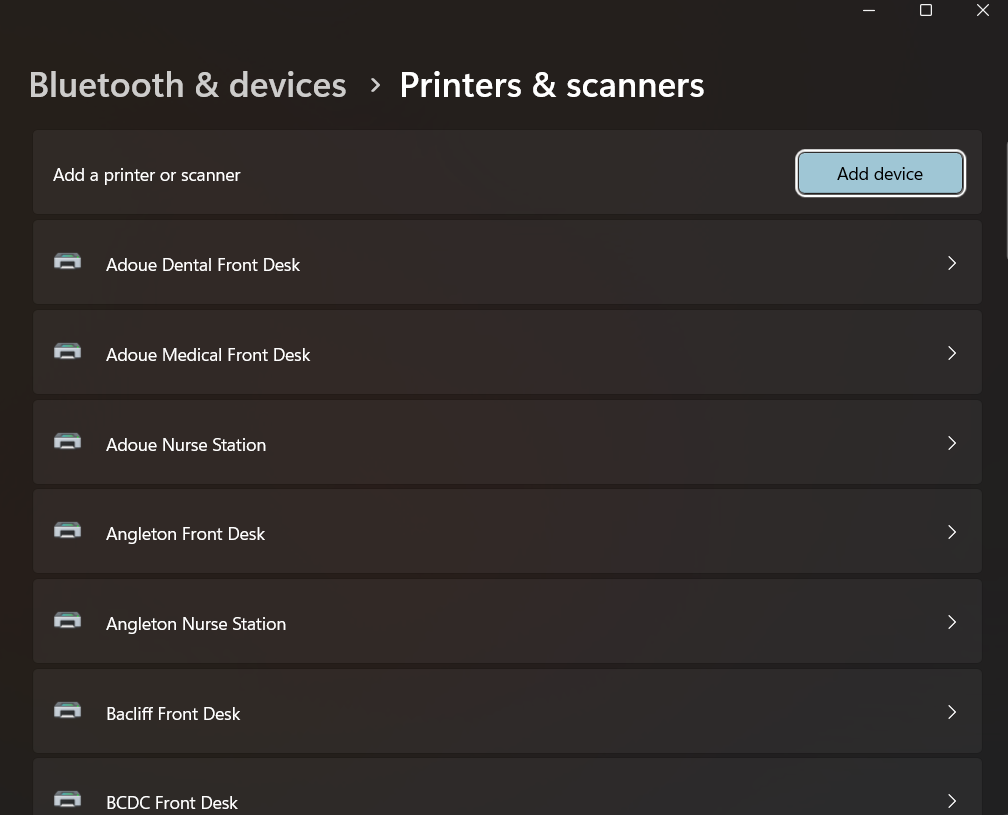
- Scroll through the list to verify if you have the printer you need already installed or to check the status of a printer.
- If you don't have a printer you need access to, or the printer you are trying to print to has an error, you can submit a ticket
Was this article helpful?
That’s Great!
Thank you for your feedback
Sorry! We couldn't be helpful
Thank you for your feedback
Feedback sent
We appreciate your effort and will try to fix the article