You will not be able to connect to a site scandrive if you are working remotely.
Scanfolder is not showing up:
- Most often the drivemap file will be on your desktop. If it is not, proceed to the next step.
- Open the File Explorer

- From the Home page, search for "drivemap"
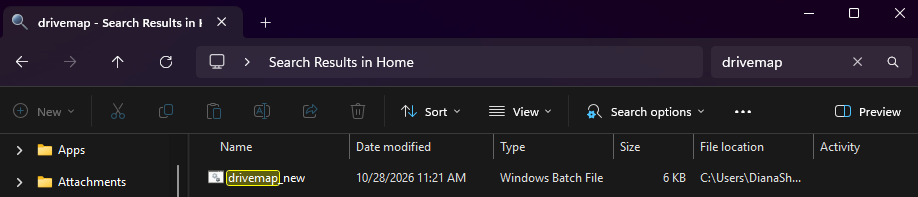
- Once you have located the file, double click on it to automatically connect you to your current site's scan folder.
Drivemap file is not on your computer:
Please let us know if you do not have the drivemap.
A member of the IT team will reach out to add the file to your desktop.
Where to find the folder:
- Open File Explorer :

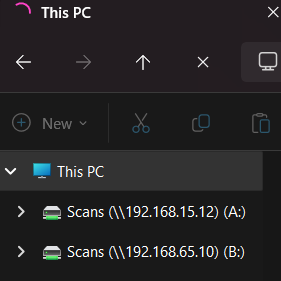
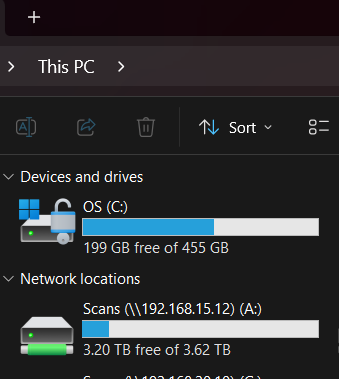
- In the side bar, scroll down till you find This PC. You should see the scanfolder here.
Was this article helpful?
That’s Great!
Thank you for your feedback
Sorry! We couldn't be helpful
Thank you for your feedback
Feedback sent
We appreciate your effort and will try to fix the article