These live on the main PT chart page and sometimes in the encounters.
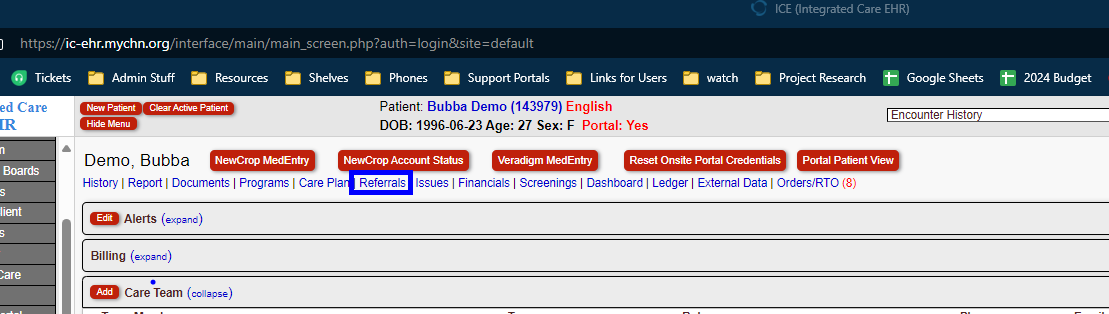
Referral Process:
Go to Pt Chart > Click on Referrals

Click New Outbound to create an outbound referral.
Referral Information Section (Provider's workflow):
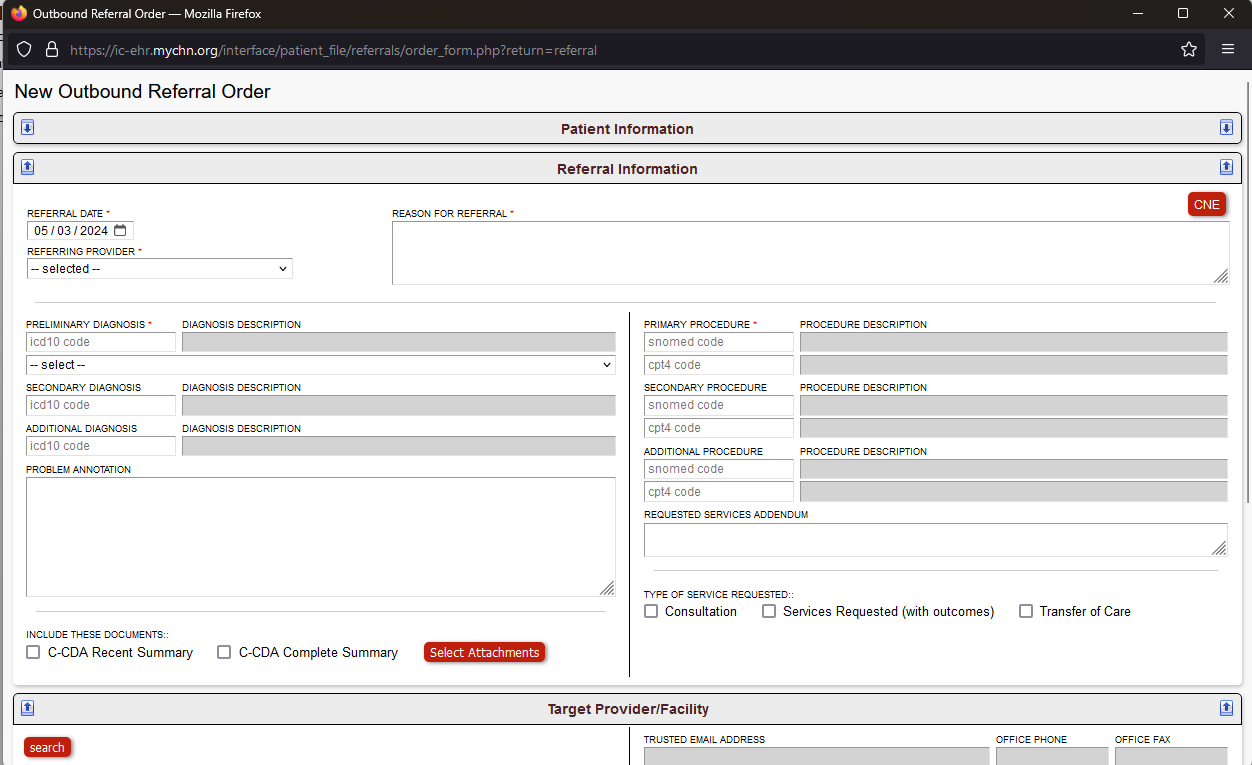
- Referring Provider will fill in automatically for providers, otherwise select name.
- Reason for Referral
- Preliminary Diagnosis is the diagnosis requiring the referral. Secondary and Additional Diagnosis are for Insurance
- Primary Procedure is the procedure the patient is being referred for. Both SnoMed and CPT4 Codes are required.
- check:
- Consultation to refer patient for a consultation
- Services Requested for tests and results
- Transfer of Care for patient moving to a different clinic/doctor
- Select Attachments to attach supporting documents to show insurance & accepting facility
Target Provider/Facility Section (MA's workflow):

Click Search
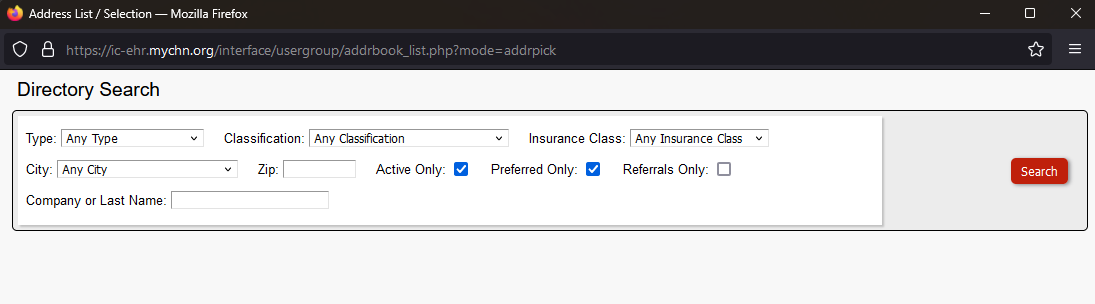
ACL for Care Coordination & Admin can alter directory.
This is basically a search to find a specific entity to refer patient to.
Select new provider/facility the patient is needing to be referred to.
Financial Details:
If a patient has real insurance, it would show prior authorization information here. If it's required/not required.

Racquel Reyes & Melanie Gutierrez do the authorization process.
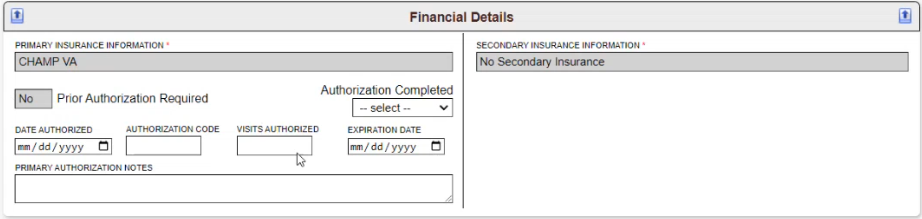
This is what it would look like with insurance. VA insurance shows as No prior auth is required, but HMO would require prior auth.
For Prior Auth required insurances, all boxes need to be updated and saved in order to send the referral.
Saving & Sending:
Click Save & Exit. These will automatically send via RightFax once it's saved.

Referral Report Process:
After the referral is sent, the patient will then call and schedule the appointment with the referred provider/facility.
Once the appointment is complete, the results are sent back to Medical Records.
Medical records then attaches the results to the pt's referral. (Pt chart > Referrals > Run Report > Select the referral > Referral Outcome)
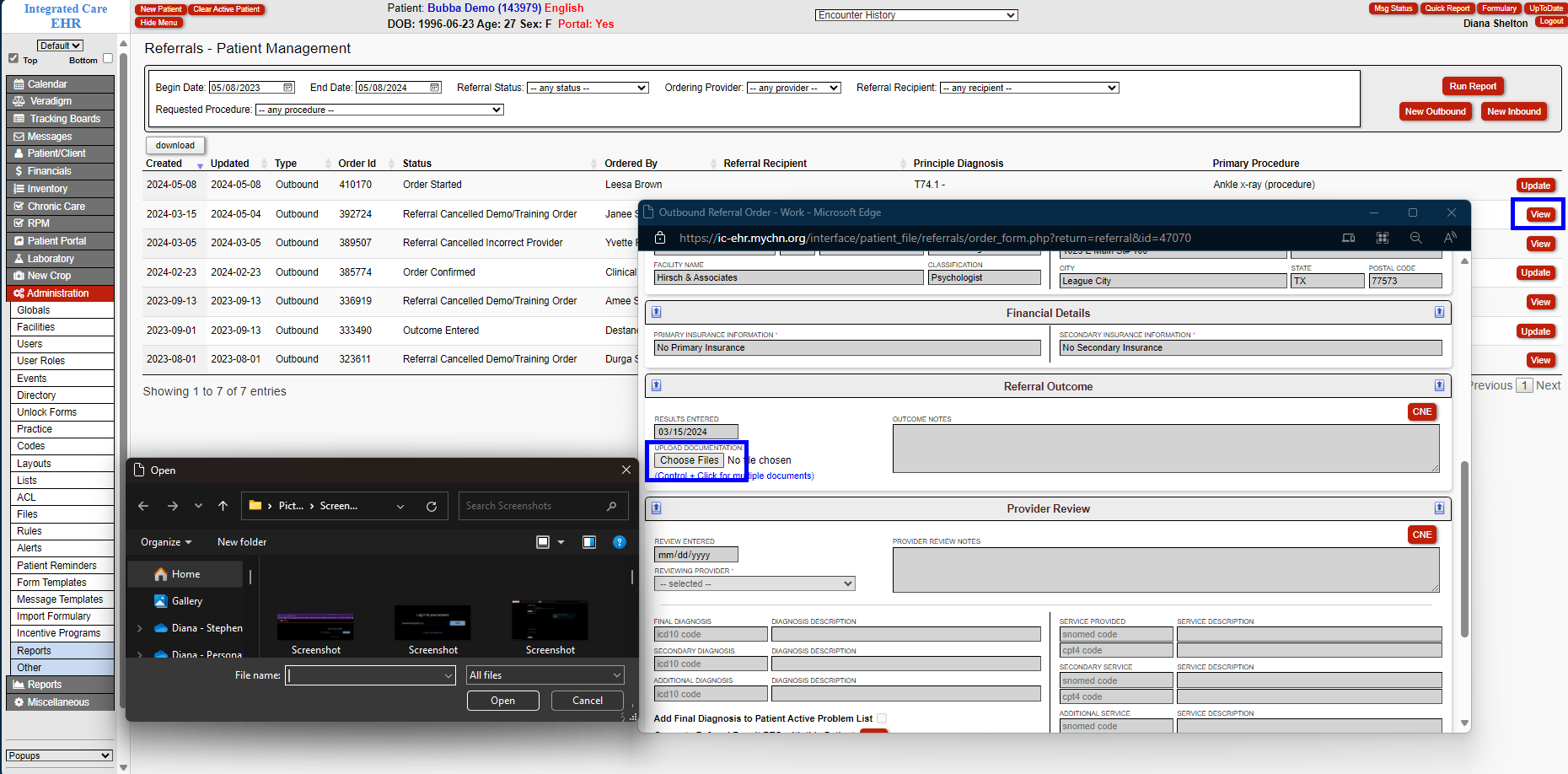
Save & Exit sends referral to the Provider via Internal Message.

The Provider can then go into the referral and edit the Provider Review section, filling in all the boxes.
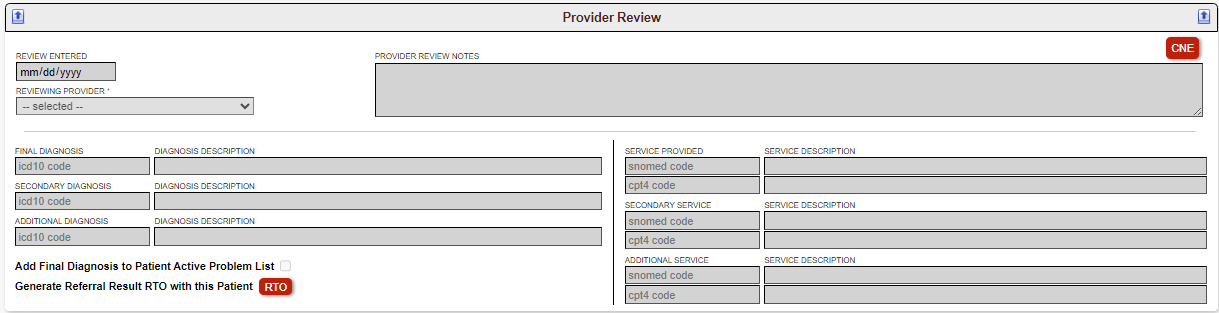
Save & Exit and Referral is done.
Was this article helpful?
That’s Great!
Thank you for your feedback
Sorry! We couldn't be helpful
Thank you for your feedback
Feedback sent
We appreciate your effort and will try to fix the article