When you need to upload a file to a SharePoint.
Locate the SharePoint you want to upload the file to. If you don't have access, reach out to someone who does or request access from IT by submitting a ticket.
Navigate to Documents, select the upload button then Files.
Note: you can navigate to the different folders within the Documents section of the SharePoint and upload the file the same way.
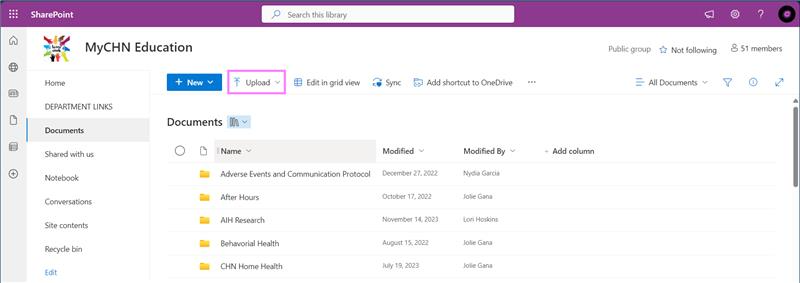
Choose the file you want to upload, click open. The file should now be uploaded.
Was this article helpful?
That’s Great!
Thank you for your feedback
Sorry! We couldn't be helpful
Thank you for your feedback
Feedback sent
We appreciate your effort and will try to fix the article