Edge:
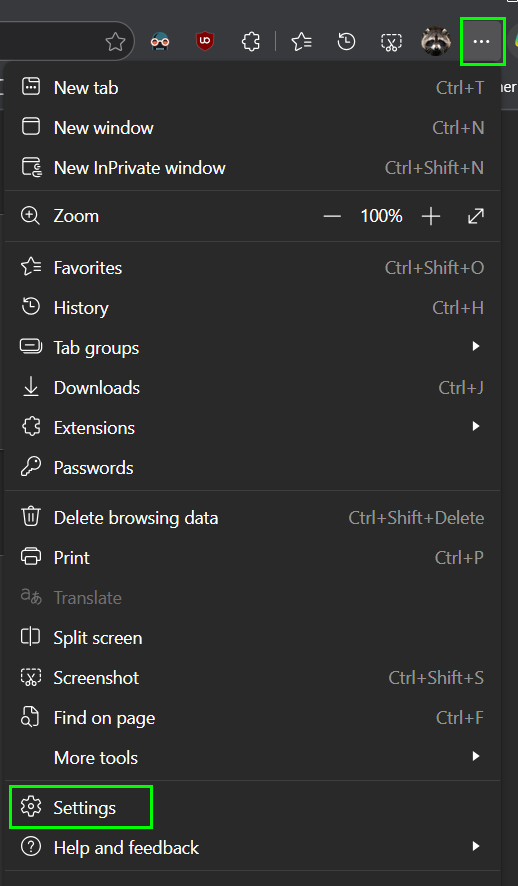
- In Microsoft Edge Browser, click on the 3 dots (...) in the top right of the browser and select Settings
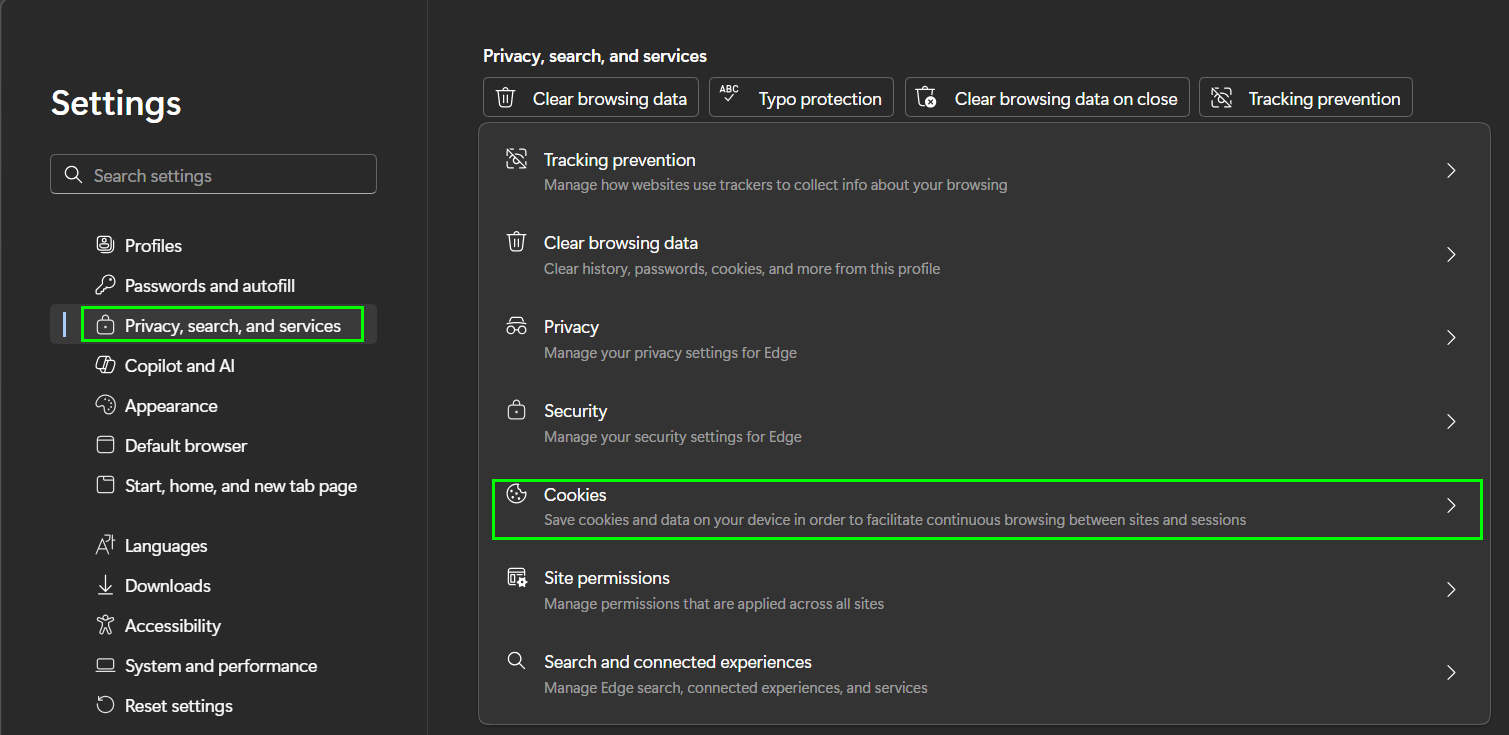
- Navigate to Privacy, search, and services category
- Click on Cookies
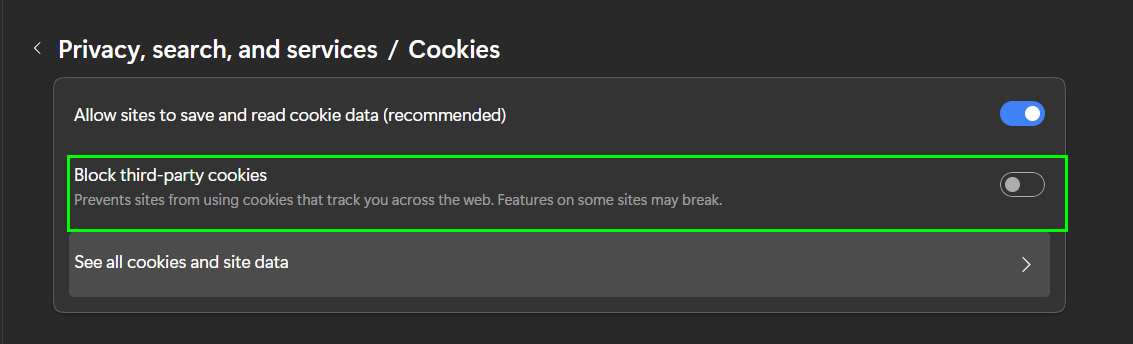
- Make sure Block third-party cookies is off
Google Chrome:
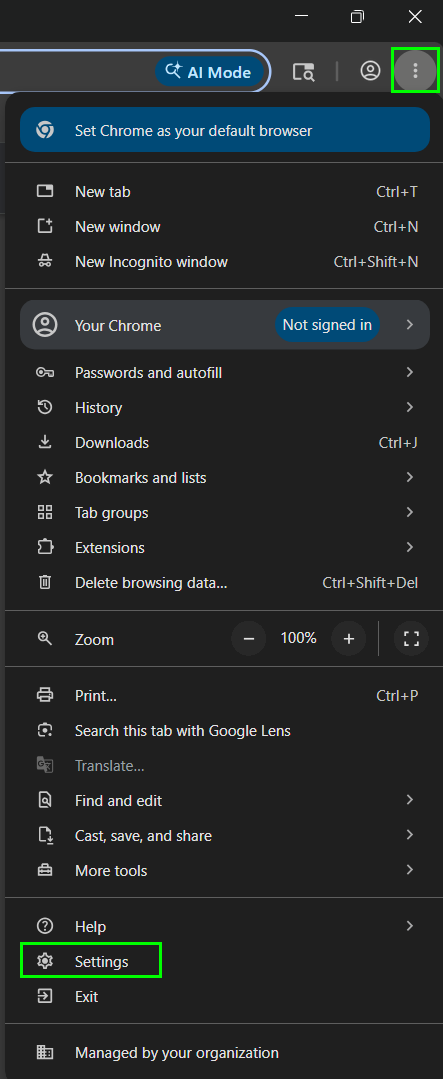
- In Google Chrom browser, click on the 3 dots in the top right corner of the browser and select Settings
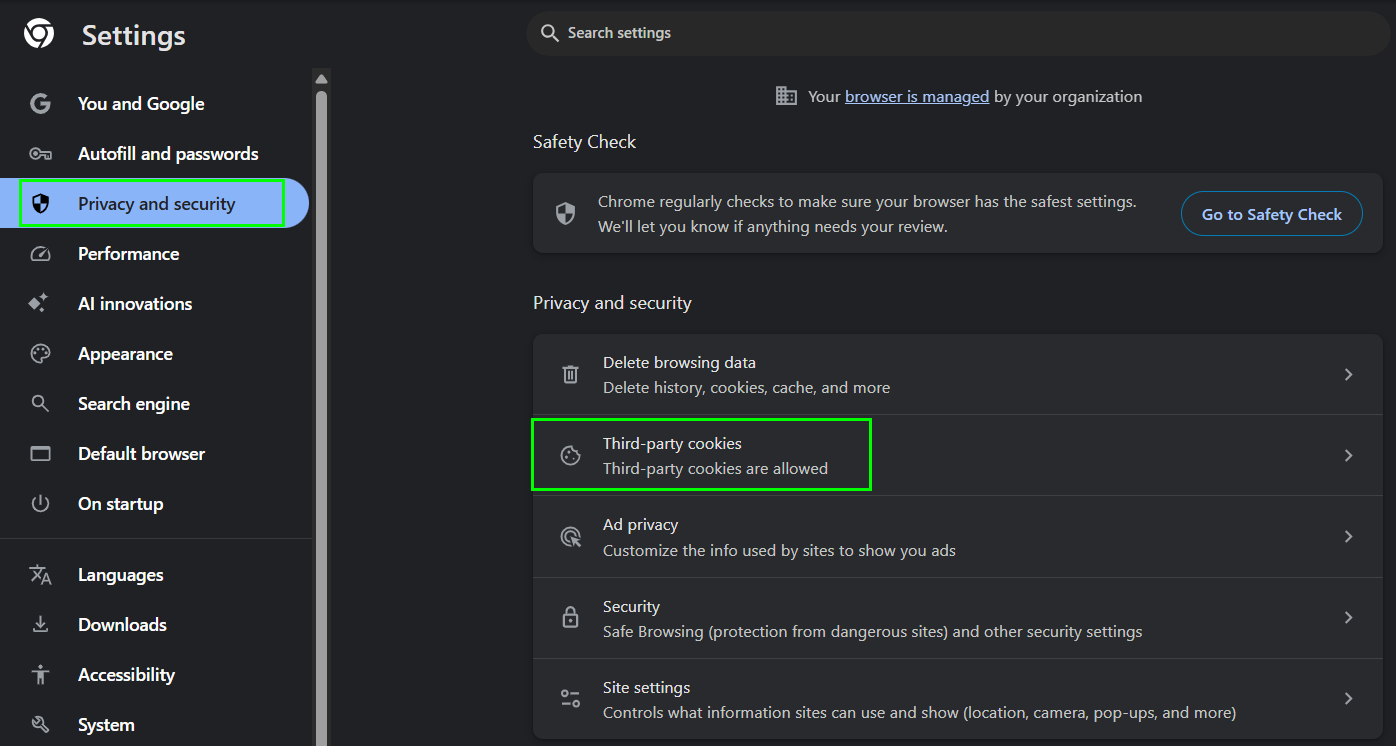
- Navigate to Privacy and security
- Click on Third-party cookies
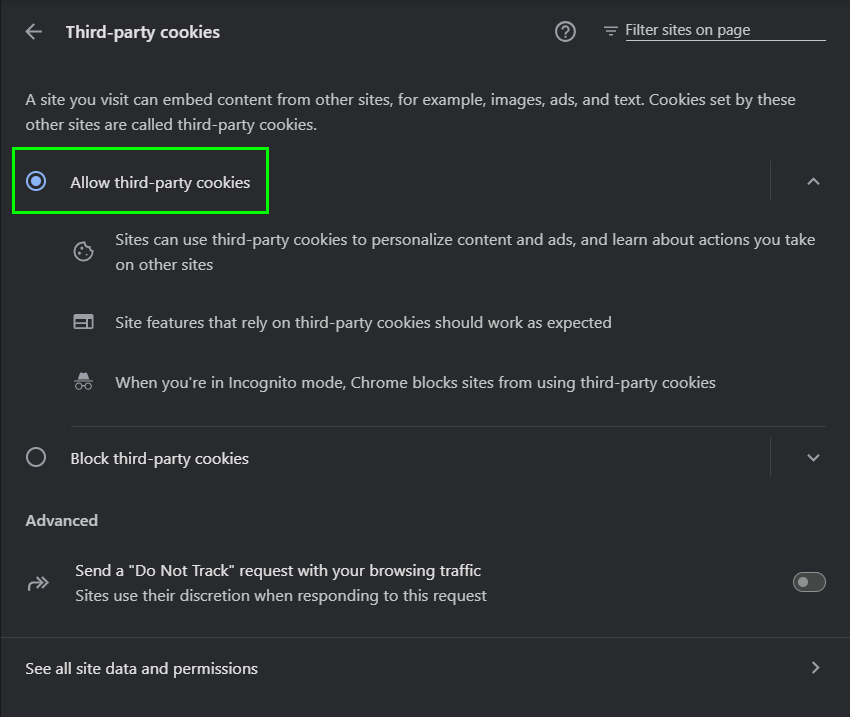
- Make sure Allow third-party cookies is enabled.
Was this article helpful?
That’s Great!
Thank you for your feedback
Sorry! We couldn't be helpful
Thank you for your feedback
Feedback sent
We appreciate your effort and will try to fix the article