Please make sure you run updates when you see them. If your computer is not updated regularly, this can affect performance in various ways.
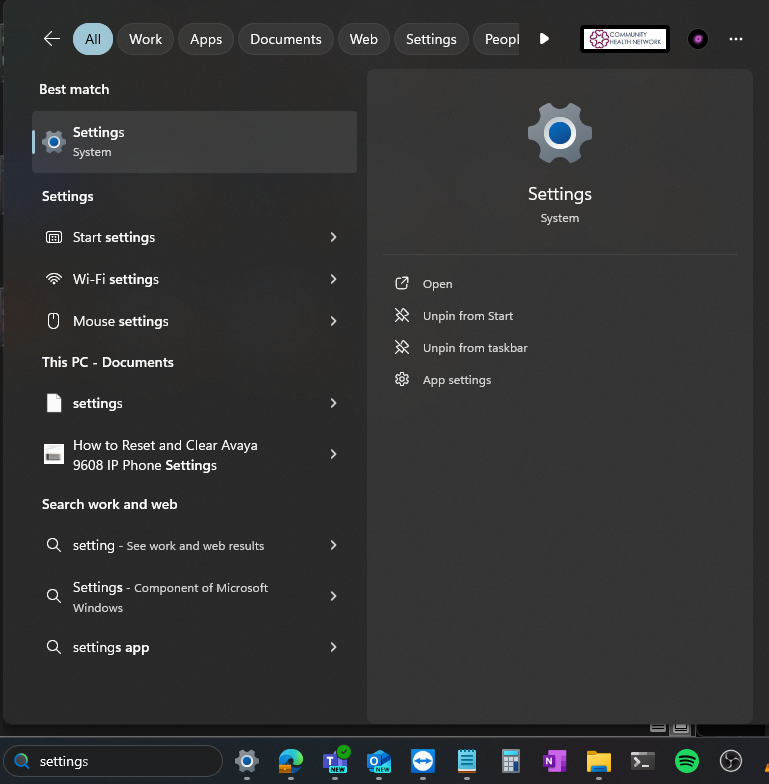
Search for Settings in the search box on the task bar and open.
Navigate to Windows Update and click on Check for Updates.
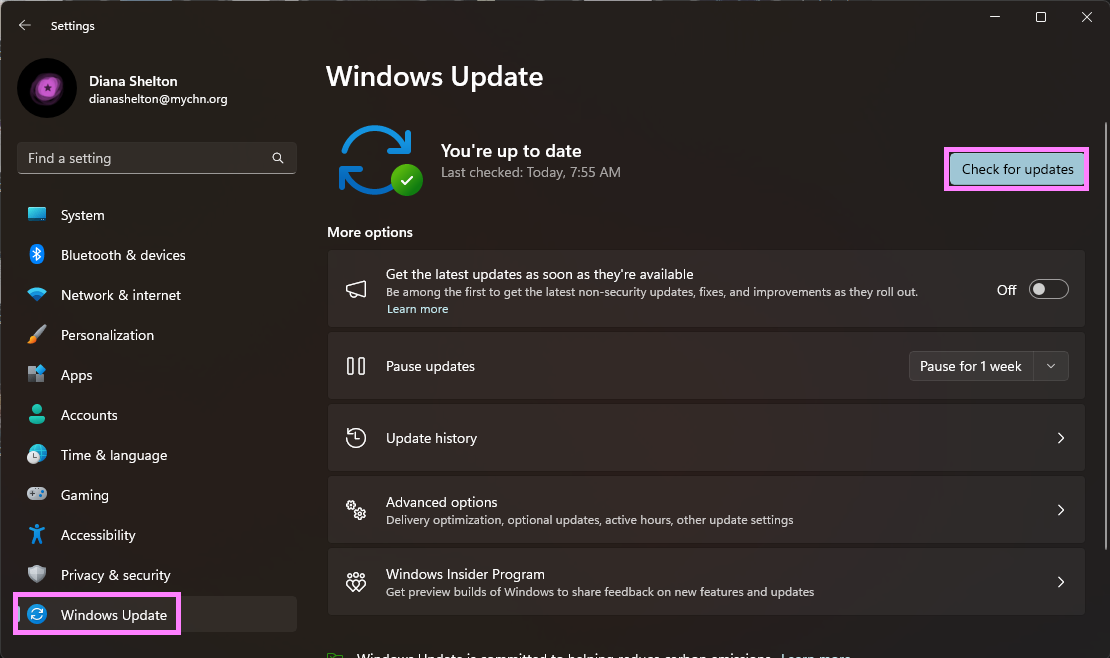
Any updates that need to be installed will be listed here.
Run/Install the updates. Your computer may need to restart more than once. Keep checking for updates until no more updates show up.
Was this article helpful?
That’s Great!
Thank you for your feedback
Sorry! We couldn't be helpful
Thank you for your feedback
Feedback sent
We appreciate your effort and will try to fix the article