**This is only if PT is brand new and has not been enrolled in the Patient Portal**
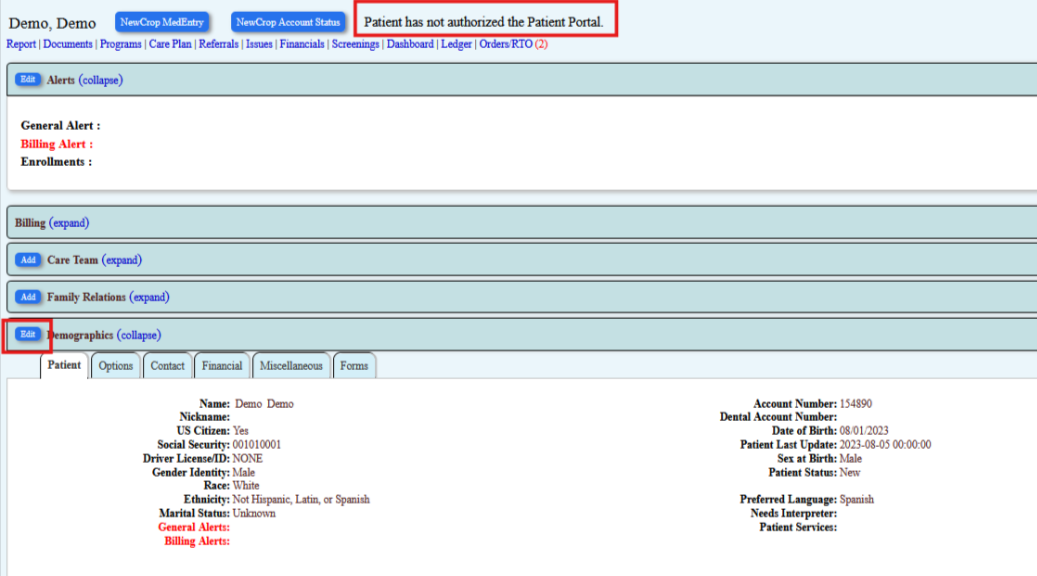
PSS identify if patient has a portal and should it prompt " Patient has not authorized the patient portal" you will go to the demographics and click "Edit"
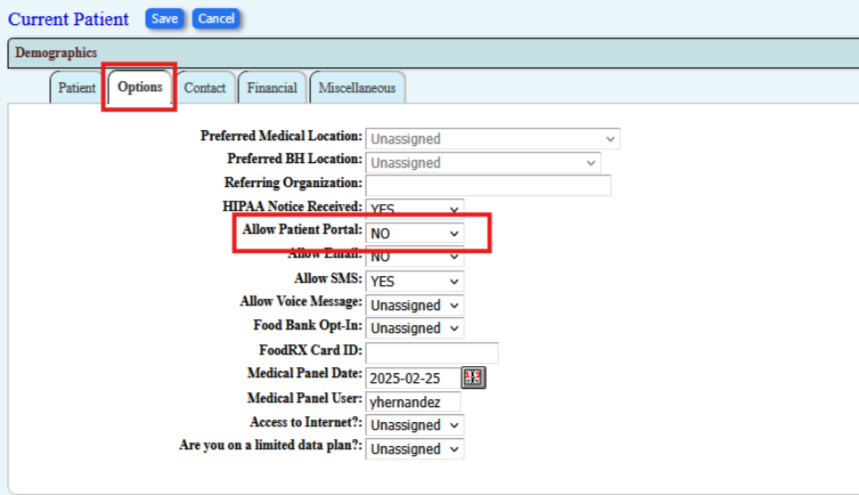
PSS will click on the options tab and go to Allow Patient Portal and change No to Yes and save information
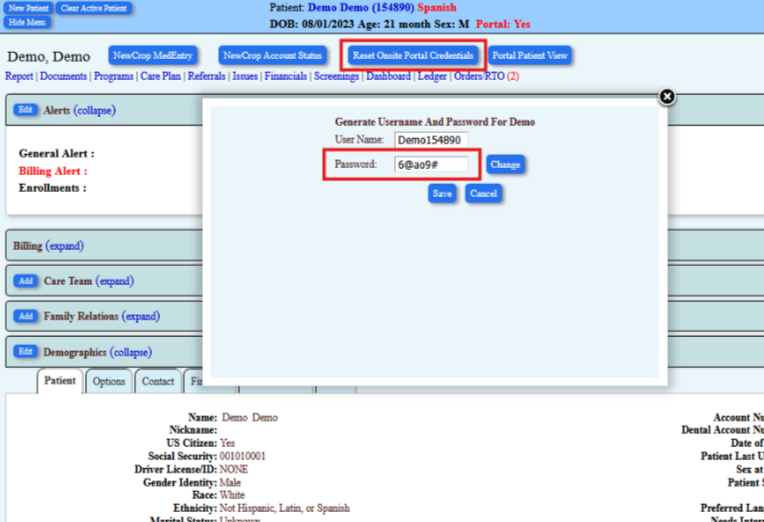
Change the password to something simple ex. 1234
click save
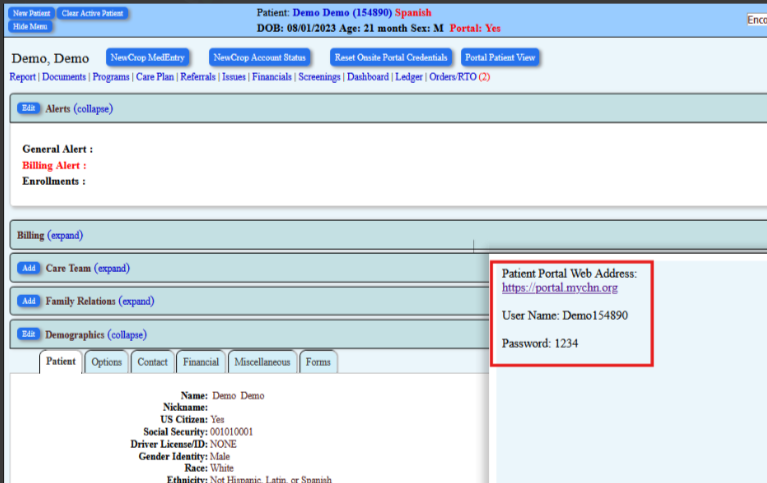
A new window will pop up and you will copy this information and send it via text message to the patient so that they can fill out their portal forms
Was this article helpful?
That’s Great!
Thank you for your feedback
Sorry! We couldn't be helpful
Thank you for your feedback
Feedback sent
We appreciate your effort and will try to fix the article